
Optics Trainer VR
Pair any Meta Quest headset (Quest 2 or newer), watch what the patient sees, and launch and adjust activities from a tablet or clinic browser without taking the headset off.
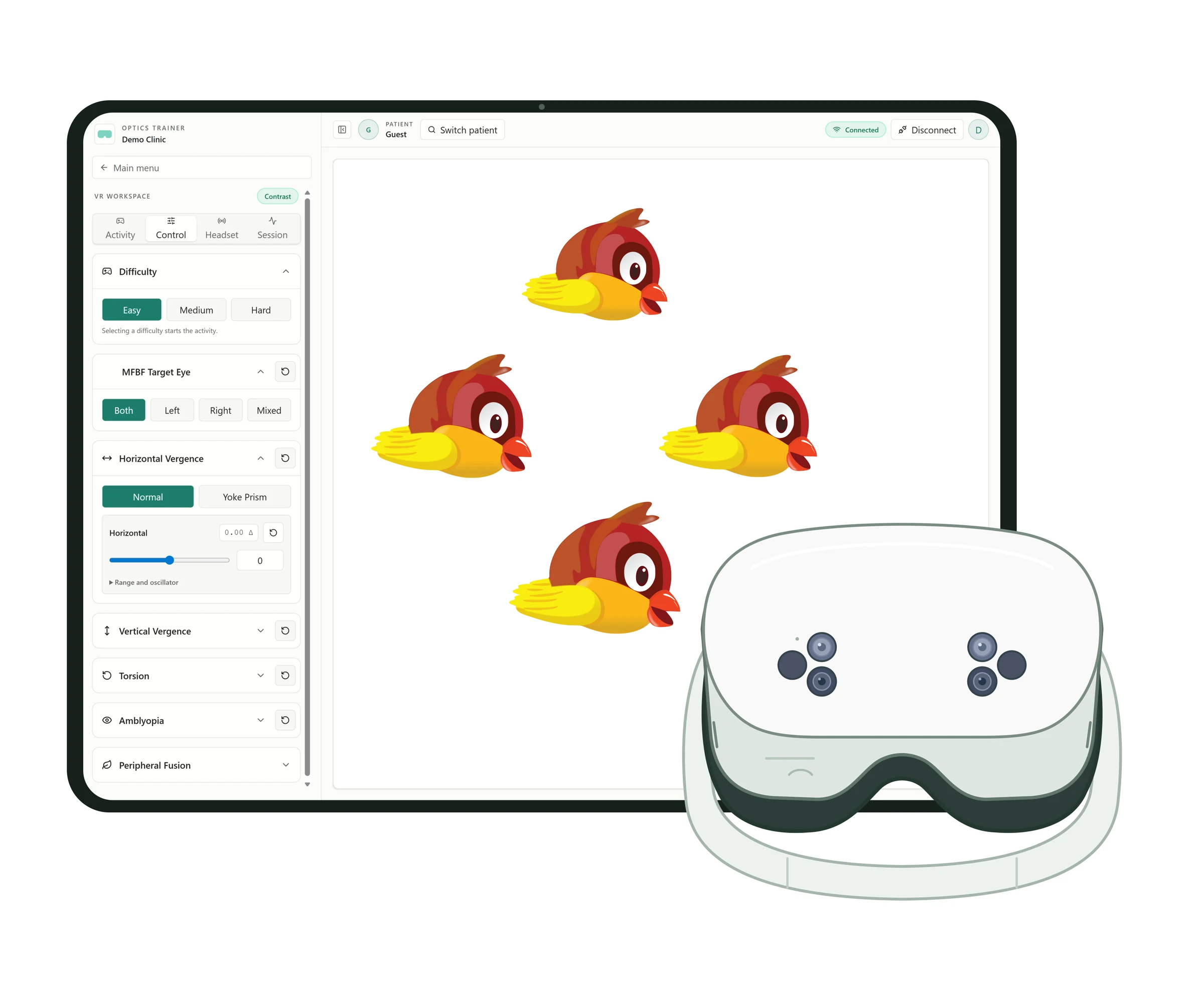
What Optics Trainer VR is
Optics Trainer VR is the in-clinic training part of the Optics Trainer platform. Eye care professionals run vision training activities on a Meta Quest headset and control them from a tablet or clinic browser. Patients can continue at home on VR, mobile or tablet, and the clinic follows along from the same dashboard.
Who it's for
Eye care professionals, including optometrists and vision therapists, who use VR activities for binocular vision, vergence, stereo acuity and fusion training in the clinic.
Run VR sessions from a tablet
- Live headset view: Stream the patient's view to the tablet over your local network
- Activity library: Vergence, stereo acuity, motor fusion, calibration and training games, with favorites
- In-session controls: Set difficulty, target eye, vergence, yoke prism, torsion and per-eye contrast where an activity supports them
- Patient-linked history: Link the session to a patient record, add session notes and review clinic and at-home activity
Requires Optics Trainer VR with Remote seats and any Meta Quest headset (Quest 2 or newer). Any clinician in your organization can connect while a seat is available.
Activities
Fruit Samurai
Chop fruit in an eye-hand coordination and reaction-time activity.
Bomb Boxing
A Go-No Go activity in a boxing ring. Pay attention to your environment while punching the colors that match your gloves.
Brain Bounce
A multiple object tracking activity. Remember the target spheres as they bounce and move around the room.
Tappy Bird
Tap the bird at a different depth in Odd-One-Out mode, or from closest to furthest in Near-To-Far mode.
Star Search
Focus your central gaze on the earth and use peripheral vision to spot and collect the stars around it.
Keep training going at home
- VR, mobile and tablet: Home activities on a Quest headset, phone or tablet, with red/blue glasses for activities that use them
- Clinic-assigned programs: Set each patient's home program from your clinic dashboard
- Clinic code linking: Patients connect their home account to your clinic with your clinic code
- Clinic and home history: Review at-home activity alongside in-clinic VR sessions