
Complete sequence
Guided Pretest and Tests A, B and C

Eye tracking assessment and vision training, in clinic and at home.
Clinical testing · Optics Tracker
Build custom assessments, review objective eye-tracking data and visualizations, and create clear reports.
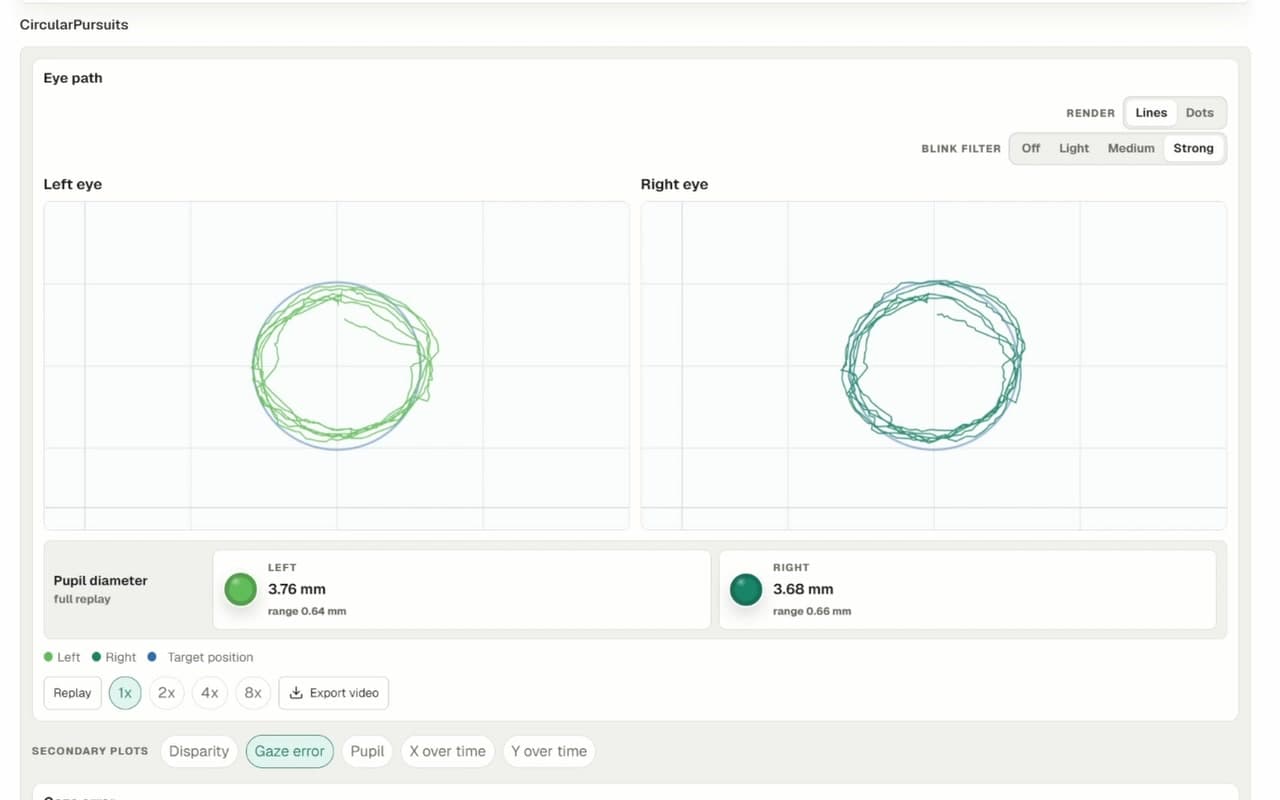
Result previews
Explore de-identified examples of the plots, measurements and visualizations available after testing.
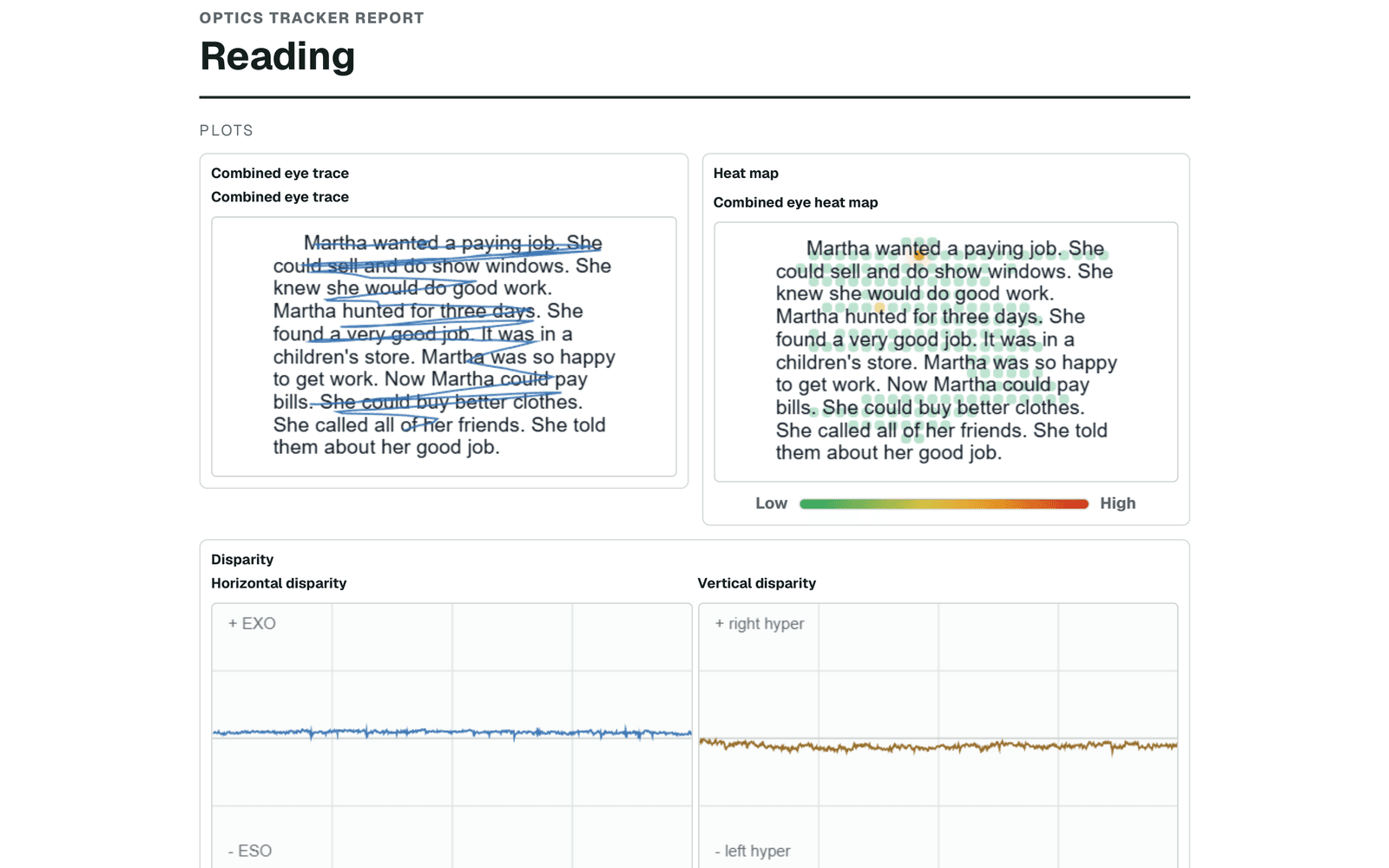
Combined reading trace and heat map with horizontal and vertical disparity.
Reading Analysis
Replay binocular eye movement across the passage, review reading behavior and compare performance with age-based grade norms.
Developmental Eye Movement (DEM) Test™ — Licensed from Bernell
Combine traditional DEM timing with speech processing, clinician-reviewable scoring and objective eye-movement data.
How the DEM test works and is scored
Developmental Eye Movement (DEM) Test™ — Licensed from Bernell. This test is available as an optional add-on subscription and is not included in the base Optics Tracker subscription.
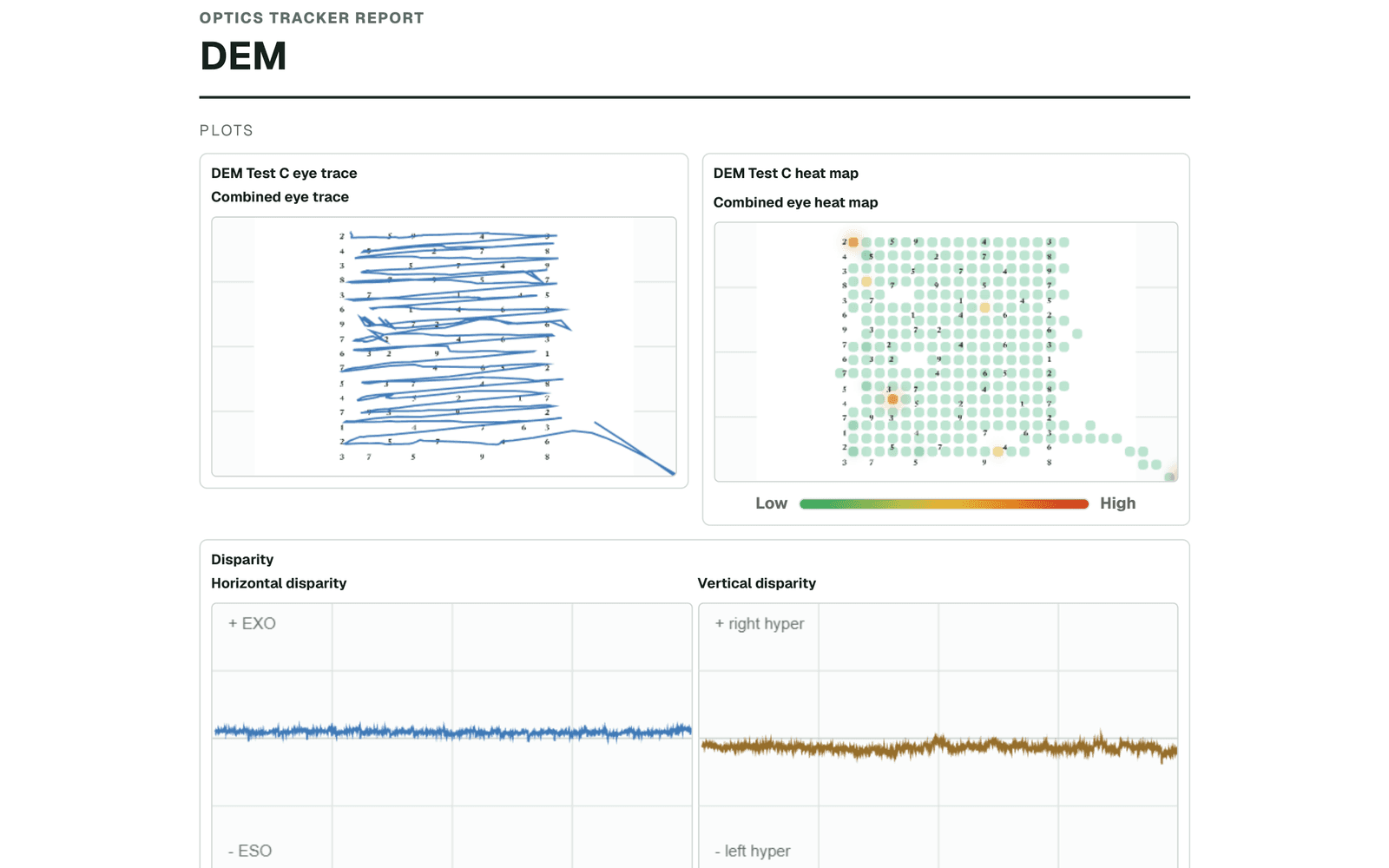
Guided Pretest and Tests A, B and C
Recorded Test C speech with live digit recognition
Detected error counts with clinician review and correction
Gaze replay, secondary plots and age-based norm comparison
Test library
Build sessions from eye movement, reading, reaction, alignment, sensory and specialty tests.
Horizontal, vertical, circular, diagonal, box and figure-eight
Horizontal and vertical target transitions
Static fixation and dynamic visual-vestibular stability
Visual reaction and two visual-motor response tests
Fixations, regressions, return sweeps, disparity and comprehension context
A beta workflow for horizontal and vertical number naming
Nine Point Gaze, Worth 4 Dot and Hess testing
Nystagmus and Color Fields preview (beta)
Sample outputs
Explore de-identified PDF examples generated by Optics Tracker.
In-clinic training · Optics Trainer VR
Pair any Meta Quest headset (Quest 2 or newer), watch what the patient sees, and launch and adjust activities from a tablet or clinic browser without taking the headset off.
Requires Optics Trainer VR with Remote seats. Any clinician in your organization can connect while a seat is available.
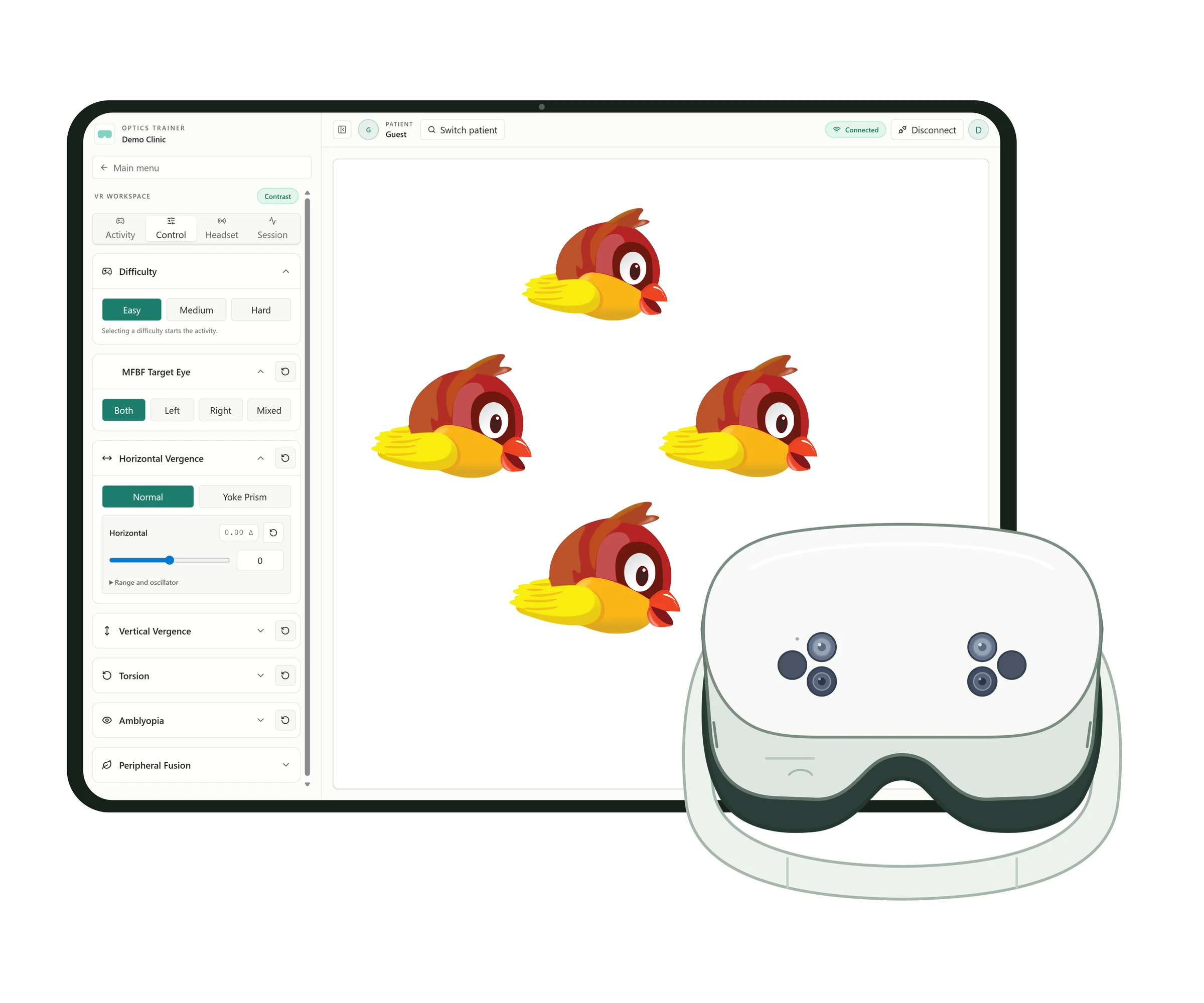
Stream the patient's view to the tablet over your local network
Vergence, stereo acuity, motor fusion, calibration and training games, with favorites
Set difficulty, target eye, vergence, yoke prism, torsion and per-eye contrast where an activity supports them
Link the session to a patient record, add session notes and review clinic and at-home activity
Home training
Patients keep training between visits on VR, mobile or tablet, and your clinic follows along from the Optics Trainer dashboard.
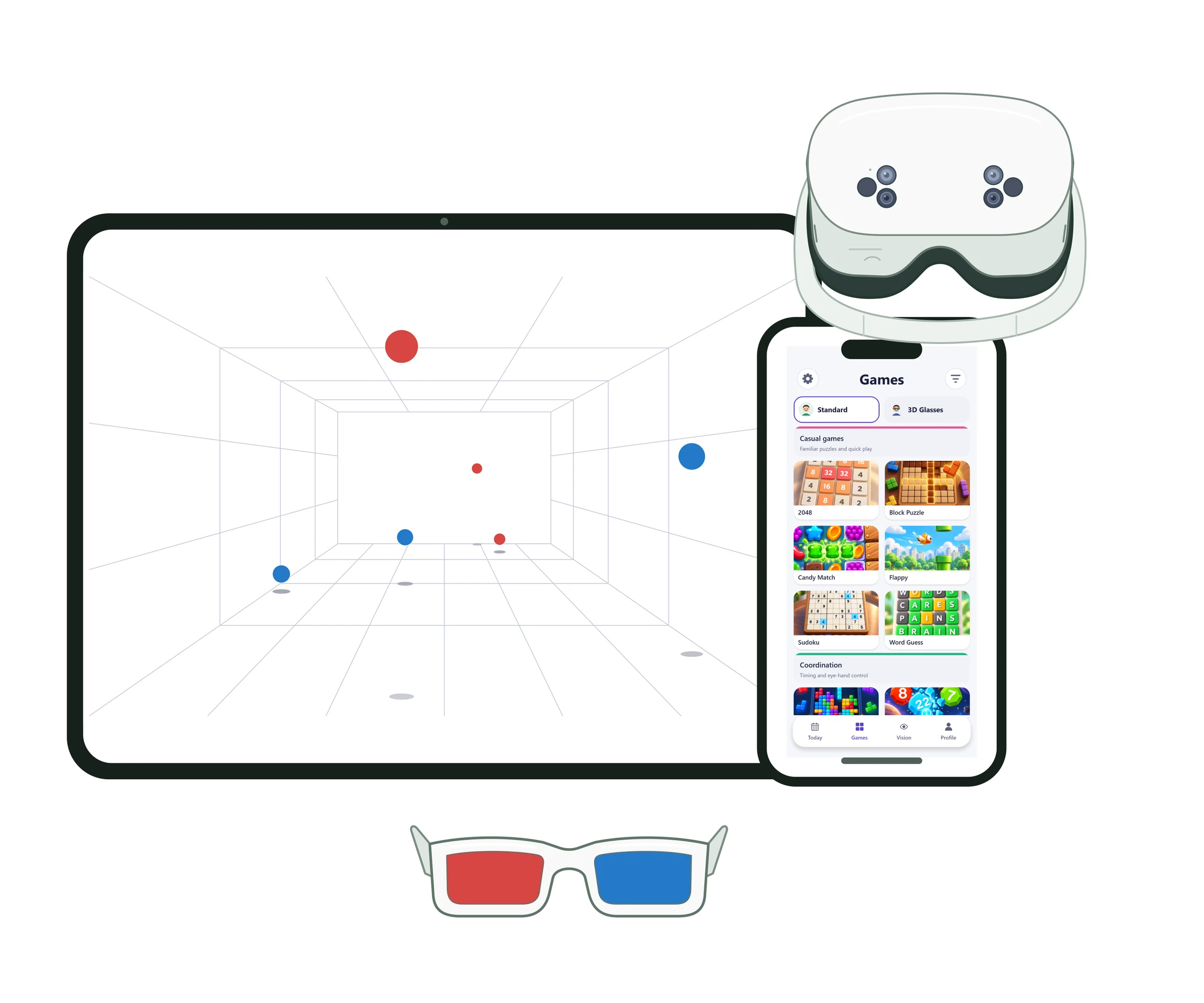
Home activities on a Quest headset, phone or tablet, with red/blue glasses for activities that use them
Set each patient's home program from your clinic dashboard
Patients connect their home account to your clinic with your clinic code
Review at-home activity alongside in-clinic VR sessions
Optics Trainer for clinics
Walk through clinical testing, in-clinic training and home training with your team.